GUI
PySide6 desktop front end for the CLI. Same features as the command line except the interactive targets (configure linux|uboot|buildroot, shell, code), plus recipe search and in-place project updates.
Starting
| How | Notes |
|---|---|
Start menu BuildHive | Runs buildhive-gui.exe, no console window. Installed by BuildHive_Setup.exe. |
buildhive gui | From any terminal. |
buildhive.exe without arguments | Same as buildhive gui, keeps the console window. |
python src/main.py | Development checkout, commands run through main.py instead of buildhive.exe. |
The most recently opened project opens at start. Docker Desktop is needed for builds, indexing and create, not for opening the GUI, editing packages or updating a project.
Window
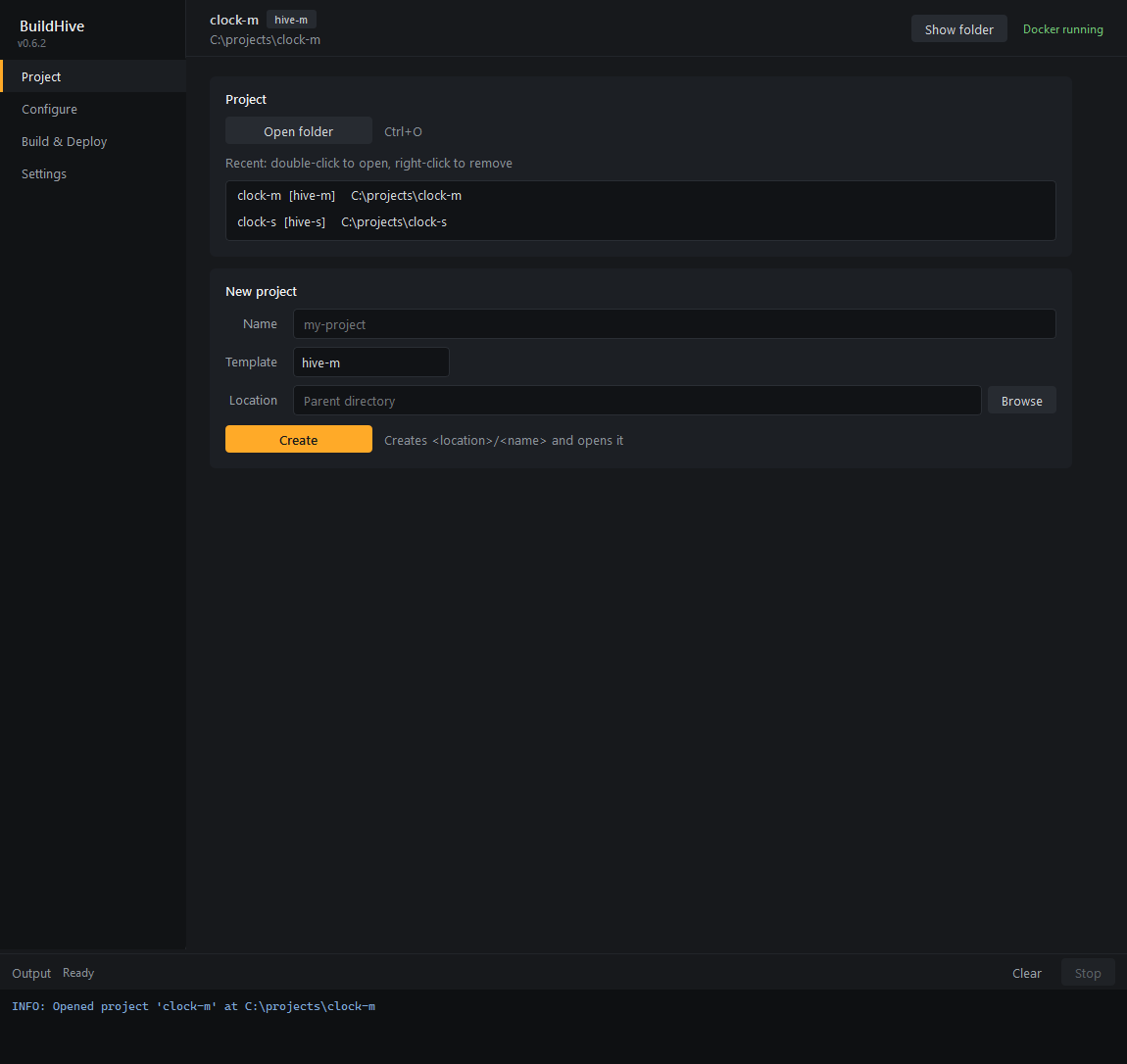
| Area | Content |
|---|---|
| Sidebar | Pages: Project, Configure, Build & Deploy, Settings. Tool version under the name. Update to x.y.z appears when a newer release exists, see BuildHive updates. |
| Header | Project name, template tag, path. Show folder opens the project directory in the file manager. Right: Docker daemon state, checked at start and every 10 s. Docker not running means every command that needs Docker fails until Docker Desktop is up; the GUI keeps working. |
| Page | Cards per topic. Each card names what it does under its title. |
| Output | Log of the running command, see below. The splitter above it is draggable. |
Output panel
Every button that runs a command spawns buildhive <command> in the project directory and streams its output line by line into the panel. The line $ buildhive ... marks the start.
| Element | Behavior |
|---|---|
| Header text | Command and elapsed time while running, then Done (m:ss) or Failed, exit N. |
| Clear | Empties the log. |
| Stop | Terminates the command and runs docker stop on the project's containers. Enabled only while a command runs. |
| Colors | $ orange, ERROR: red, WARNING: yellow, OK: green, INFO: blue, rest grey. ANSI codes are stripped. |
One command at a time. While one runs, the Project, Configure and Build & Deploy pages are disabled; Settings stays usable. Closing the window stops a running command first.
Project
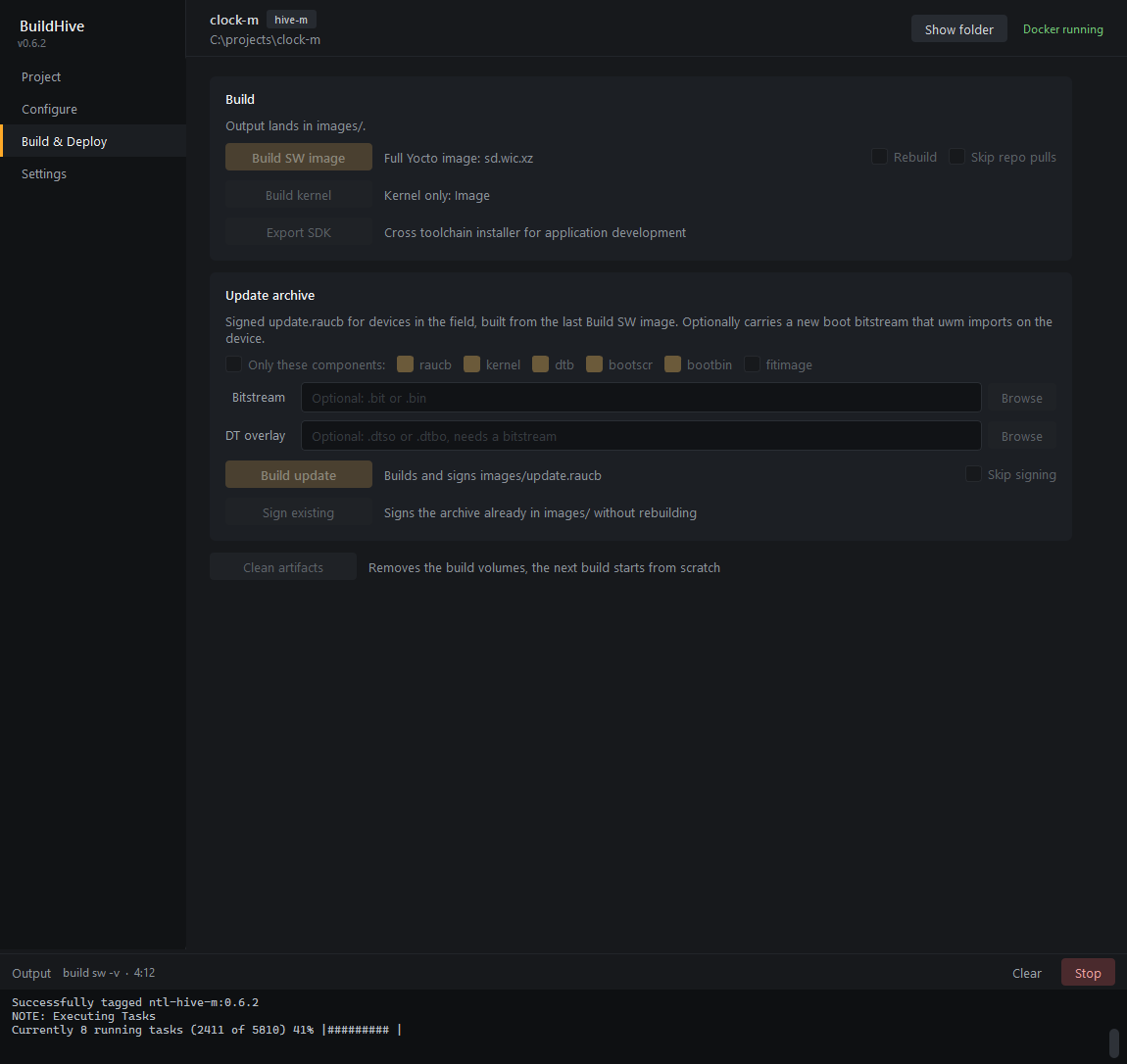
| Item | Action |
|---|---|
| Open folder | Directory picker. The directory needs a project.json. Ctrl+O works on every page. |
| Recent | Last 10 opened projects, newest first. Double-click opens, right-click removes the entry. Missing directories are dropped. |
| New project | buildhive create -n <name> -t <template> in the chosen parent directory, then opens the new project. Templates: hive-m, hive-s. |
Project update
Opening a project whose buildhive_version is older than the tool opens a dialog. Cancel keeps the project closed. Yes runs the template update in the GUI (no terminal), the same merge the CLI does on the next command in the project directory.
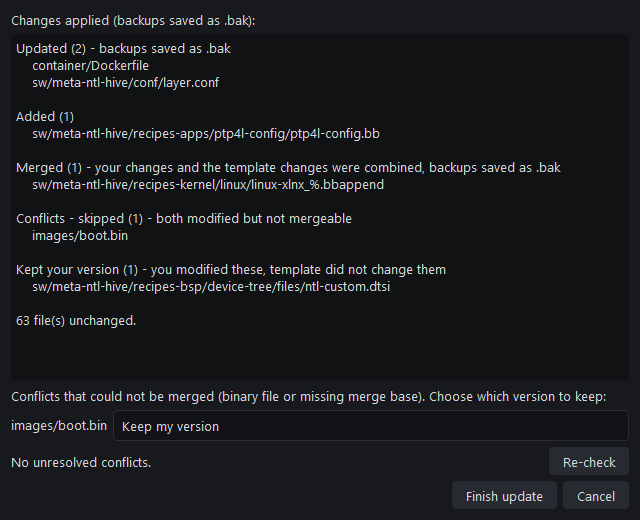
| Section | Meaning |
|---|---|
| Updated | Template file changed, yours did not. Overwritten, backup as .bak. |
| Added | New template file. |
| Merged | Both changed, 3-way merged against the stored baseline. Backup as .bak. |
| Merged with conflicts | Both changed the same lines. The file contains <<<<<<< markers. |
| Conflicts - skipped | Both changed, not mergeable (binary or no merge base). Per-file choice in the dialog: keep my version or take the template version. |
| Kept your version | You changed it, the template did not. |
| Removed | Dropped from the template, you had not changed it. |
| Removed from template | Dropped from the template but you changed it. Stays in the project. |
Finish update is enabled once no file contains merge markers. Resolve the markers in an editor, then Re-check. Finish writes the tool version into project.json and adds sections newer templates need. Cancel after a merge leaves the merged files in place, the version stays old and the dialog appears again on the next open.
A project created by a newer BuildHive than the installed one is refused with a message to update BuildHive.
Configure
hive-m
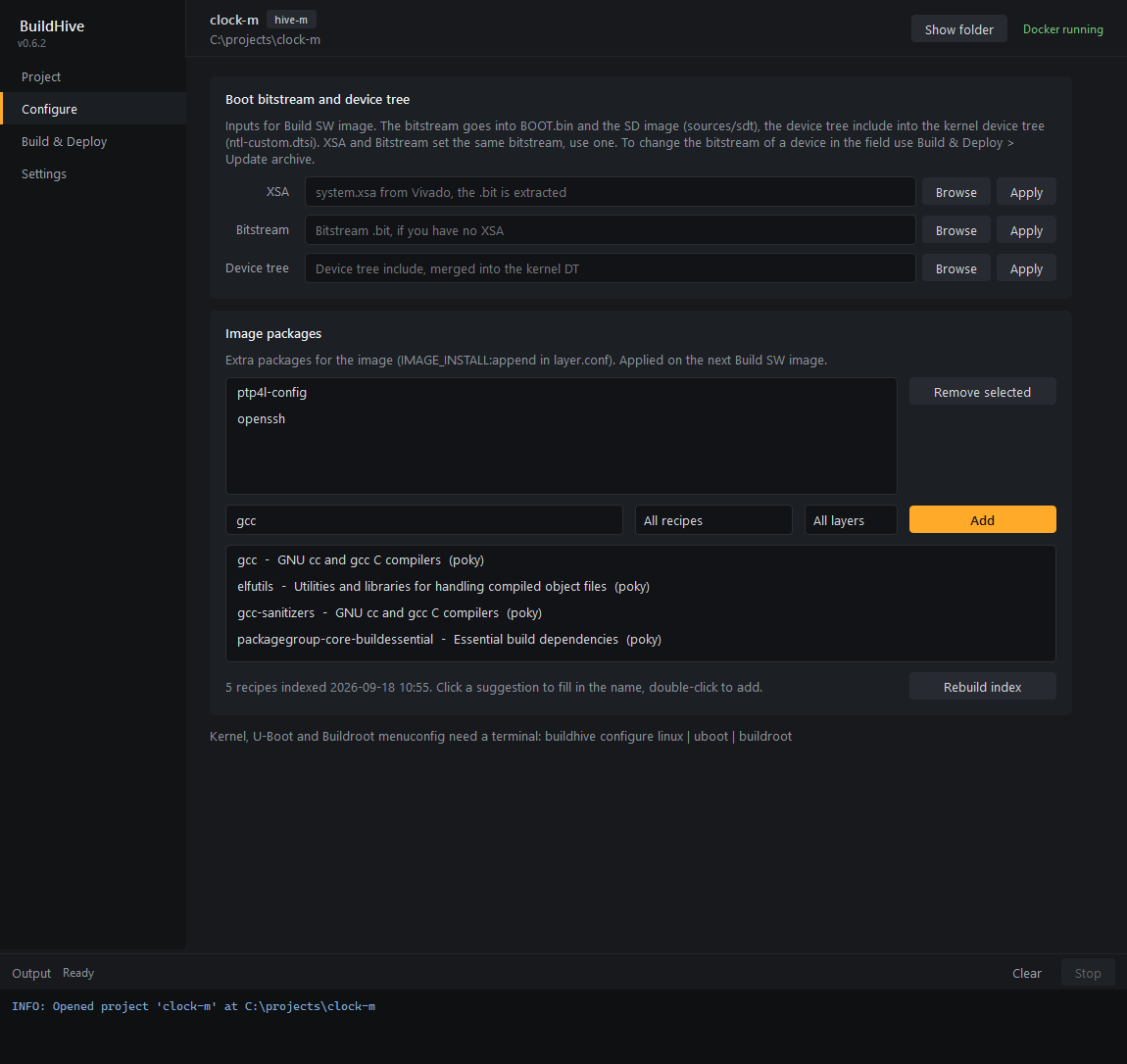
Boot bitstream and device tree. Inputs for Build SW image. The bitstream ends up in BOOT.bin and the SD image, so this is what a device boots from the card.
| Row | Command | Effect |
|---|---|---|
| XSA | configure xsa -f <file> | Extracts the .bit from the Vivado archive into sources/sdt/, header validated. |
| Bitstream | configure bitstream -f <file> | Copies a .bit into sources/sdt/. Same target as XSA, use one of the two. |
| Device tree | configure dts -f <file> | Copies the include to sw/meta-ntl-hive/recipes-bsp/device-tree/files/ntl-custom.dtsi, merged into the kernel device tree. |
Browse fills the field, Apply runs the command. For a device already in the field use the Update archive on Build & Deploy instead, which imports the bitstream at runtime.
Image packages. Edits IMAGE_INSTALL:append in sw/meta-ntl-hive/conf/layer.conf directly, no command. Applied on the next Build SW image. Same file as buildhive packages, see commands.md.
| Element | Behavior |
|---|---|
| Installed list | Current entries. Select one or more, Remove selected. |
| Add field | Package name, Add or Enter. Allowed: lowercase letters, digits, + . _ -. Several names separated by spaces. |
| Filters | All recipes / Packagegroups only, and All layers / one layer. With filters set and an empty field the list shows everything matching. |
| Suggestions | Filtered while typing. Ranking: exact name, recipes whose runtime dependencies contain the term (that is how gcc finds packagegroup-core-buildessential), name prefix, summary, substrings. Click fills the field, double-click adds. Hover shows the recipe description. |
| Build index / Rebuild index | Runs buildhive packages index in the build container and writes build/recipe-index.json. The hint line shows how many recipes are indexed and when. Rebuild after changing the Yocto manifest. |
The index lists recipes, not the split runtime packages a recipe produces (gcc is listed, gcc-symlinks is not). Host-only recipes (-native, -cross, nativesdk-, images) are excluded.
Kernel, U-Boot and Buildroot menuconfig are terminal-only: buildhive configure linux | uboot | buildroot.
hive-s
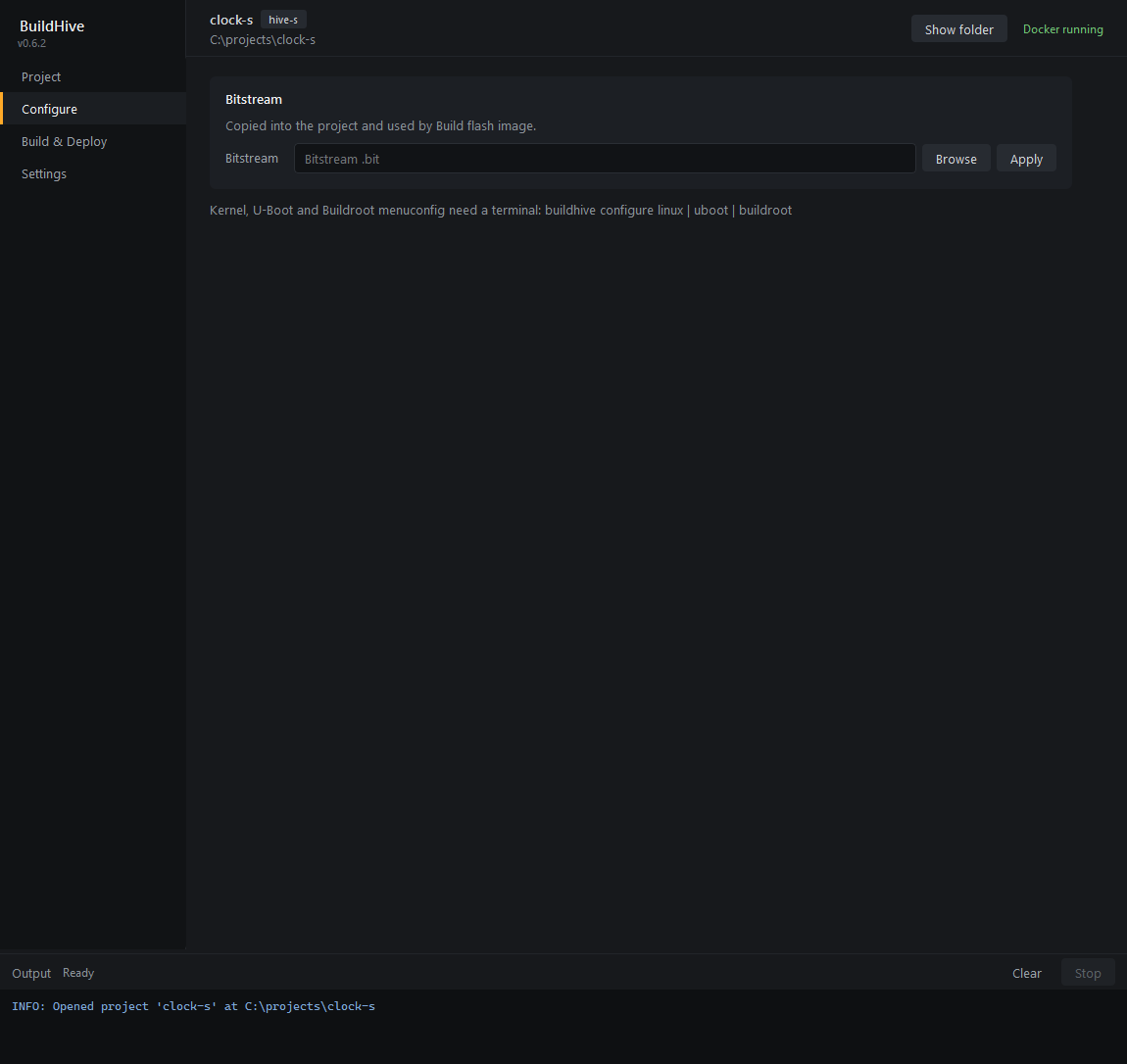
Bitstream: configure bitstream -f <file>, copied into the project and used by Build flash image.
Build & Deploy
Builds run with -v so the container output shows in the panel. Output files land in images/.
hive-m
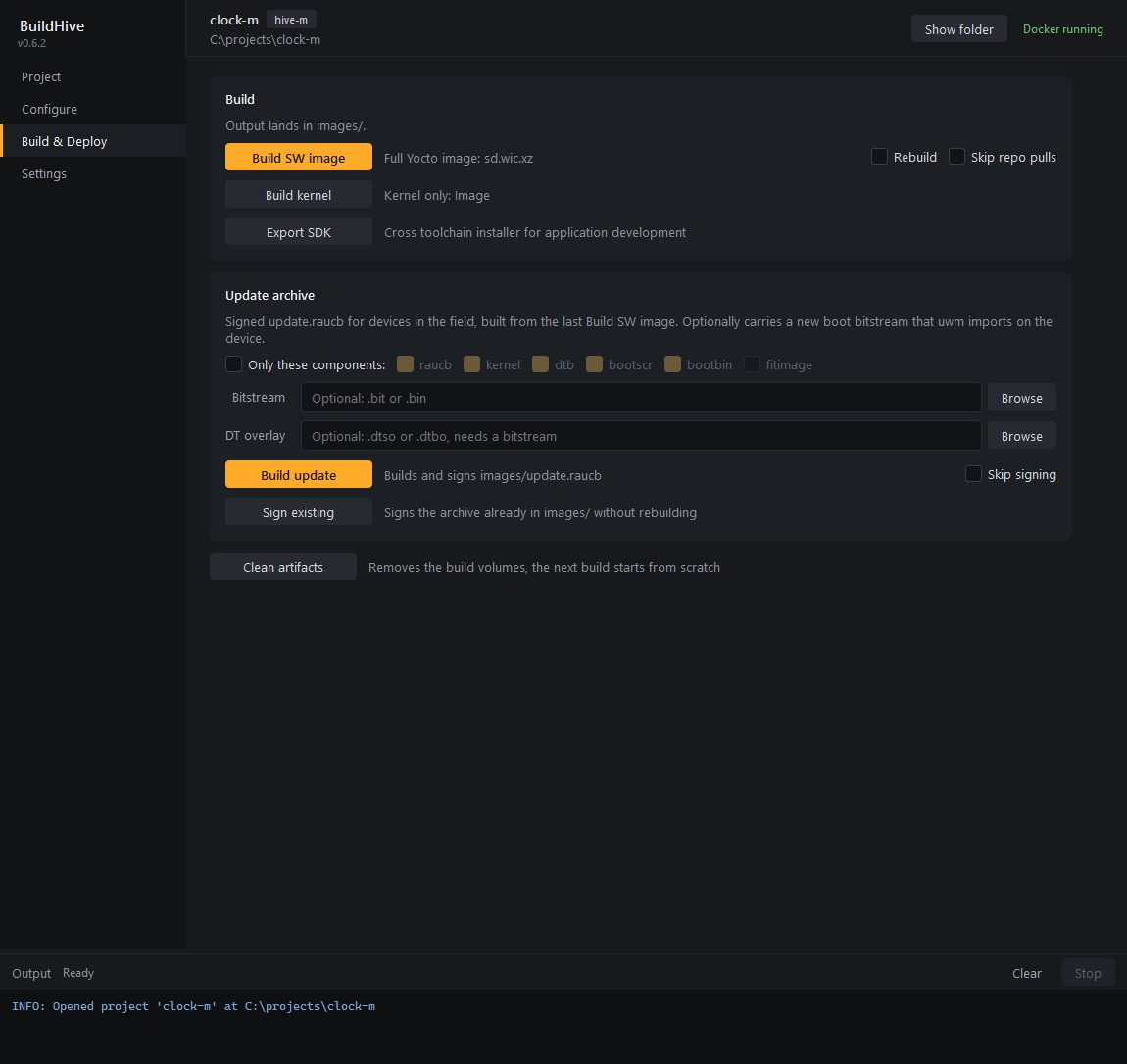
Build
| Button | Command | Options |
|---|---|---|
| Build SW image | build sw -v | Rebuild adds --rebuild (clean the build volumes first). Skip repo pulls adds --no-update (no git pull of the cloned repositories). |
| Build kernel | build kernel -v | Kernel Image only. |
| Export SDK | export sw -v | Cross toolchain installer for application development, see hive-m.md. |
Update archive. Builds images/update.raucb from the last Build SW image for devices in the field, see updates.md.
| Element | Command / flag |
|---|---|
| Only these components | --include <list> with the checked components. Unchecked: default set (everything except fitimage). |
| Bitstream | --bitstream <file>, .bit or .bin. Imported by uwm on the device and installed as the boot bitstream. |
| DT overlay | --dtbo <file>, .dtso or .dtbo. Needs a bitstream. |
| Build update | build update -v with the flags above. |
| Skip signing | Adds --no-sign. |
| Sign existing | build update --sign-only -v, signs the archive already in images/. |
Signing needs the buildsign token from the secrets server or from Settings.
hive-s
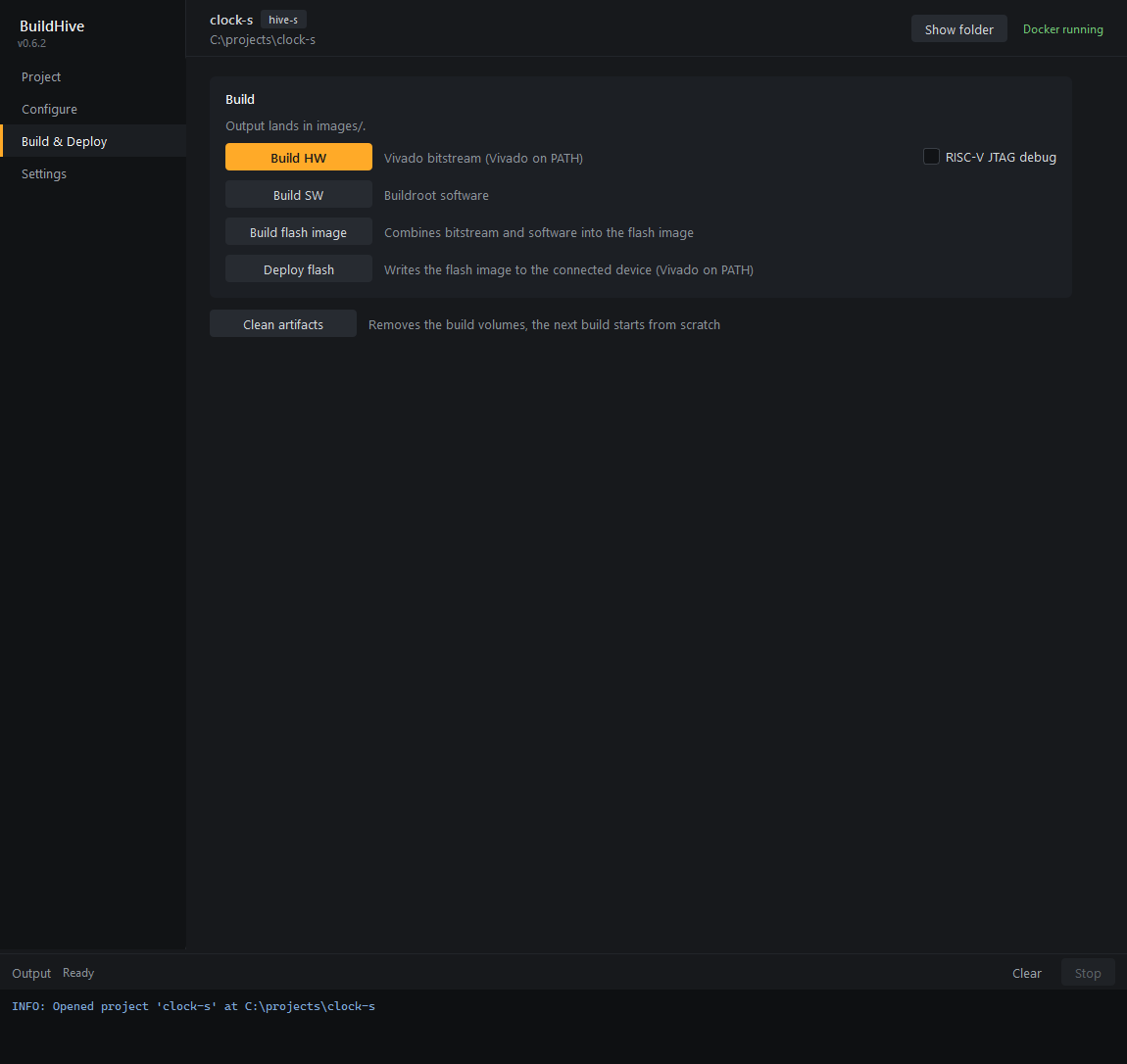
| Button | Command | Options |
|---|---|---|
| Build HW | build hw -v | Vivado on PATH. RISC-V JTAG debug adds --debug. |
| Build SW | build sw -v | Buildroot. |
| Build flash image | build flash -v | Needs the bitstream from Configure and built software. |
| Deploy flash | deploy flash -v | Vivado on PATH, device connected. |
Clean artifacts
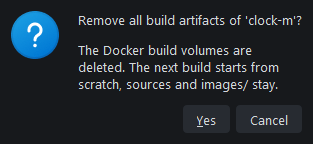
buildhive clean after confirmation. Deletes the Docker build volumes, so the next build starts from scratch. Sources, images/ and the sstate cache stay (clean --all for the sstate cache is CLI-only).
Settings
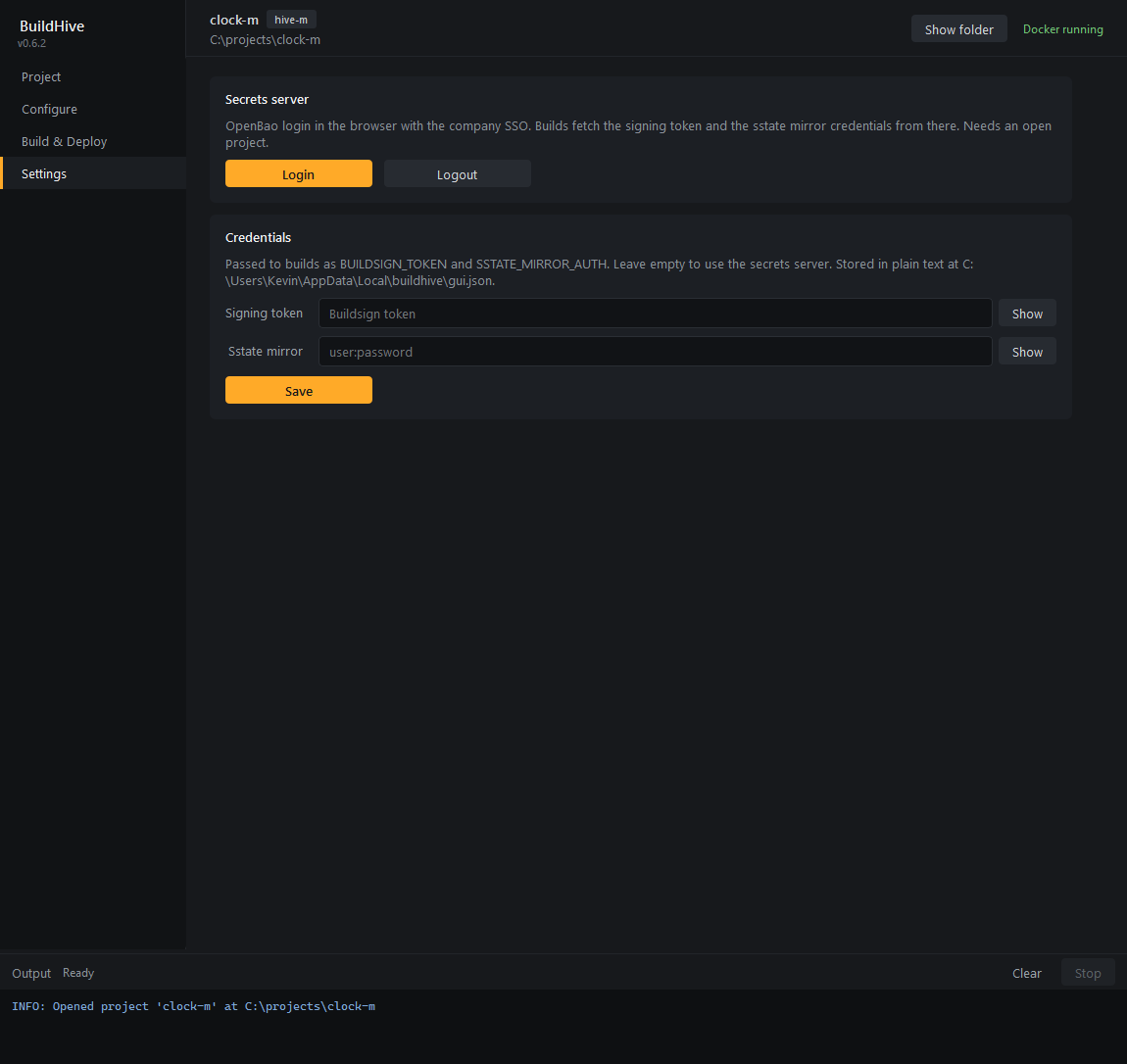
| Card | Content |
|---|---|
| Secrets server | Login runs buildhive login: browser login with the company SSO, token cached next to the GUI settings. Logout deletes the token. Needs an open project because the server URL comes from project.json. |
| BuildHive updates | Check for updates queries the GitHub releases now, logging in to the secrets server first if needed. Result goes to the output panel. |
| Credentials | Overrides for BUILDSIGN_TOKEN (signing) and SSTATE_MIRROR_AUTH (user:password). Passed to every command the GUI runs. Empty fields mean the command fetches them from the secrets server. Show toggles masking, Save writes both. |
BuildHive updates
Releases: NetTimeLogic/Tools, tags buildhive_v<x.y.z>, asset BuildHive_<x.y.z>_Setup.exe. The repo is private, so the GUI reads a GitHub token with Contents: read from the secrets server (buildhive/github, key GITHUB_TOKEN; GITHUB_TOKEN in the environment overrides it).
| Step | Behavior |
|---|---|
| Start | Silent check with the cached secrets login. No login, offline or API error: nothing happens. |
| Newer release | INFO: BuildHive x.y.z is available in the output, Update to x.y.z in the sidebar. |
| Update button | Confirmation, then the installer downloads to the temp dir and starts. BuildHive closes; the installer removes the old version and installs the new one (per user, no admin). Refused while a command runs. On Linux/macOS the button opens the releases page. |
| Errors | ERROR: Update failed: ... in the output, the button stays. |
Same from a terminal: buildhive upgrade (commands.md).
Settings file: gui.json in the OS config dir, %LOCALAPPDATA%\buildhive\ on Windows, ~/.config/buildhive/ on Linux. Plain text: the credential overrides and the recent project list.
Troubleshooting
| Symptom | Cause / fix |
|---|---|
Docker not running in the header | Start Docker Desktop. The header updates within 10 s. |
Command fails at once with Docker is not running or accessible | Same, the command checked Docker itself. |
Failed, exit N | Read the log, the last ERROR: line names the cause. Rerun from a terminal with the same command for an interactive session. |
| Nothing happens on double-click of the Start menu entry | The windowed exe has no console to print to. Run buildhive.exe gui from a terminal to see the error. |
layer.conf not found - update the project first | The project predates the meta-ntl-hive layer. Reopen it to get the update dialog. |
| Suggestions stay empty | No index yet, click Build index. Needs Docker and the first build environment setup (repo sync), a few minutes. |
| Project update shows conflicts every time | Merge markers still in a file. Resolve them, Re-check, Finish update. |
Implementation
| File | Content |
|---|---|
src/gui/app.py | QApplication, Fusion style, dark palette, stylesheet. |
src/gui/main_window.py | Sidebar, header, page stack, output panel, run_cli(), Docker check, project open and update flow. |
src/gui/pages.py | The four pages. card() = titled section, ActionRow = button, description, options, FileRow = path field with Browse. |
src/gui/runner.py | CommandRunner thread: Popen of buildhive.exe next to the GUI exe (or main.py in a checkout), CREATE_NO_WINDOW, credentials via environment. DockerCheck thread. |
src/gui/update.py | Project update dialog, calls Project.update() and finish_update() in-process. |
src/gui/app_update.py | UpdateCheck and UpdateInstall threads around src/selfupdate.py, see BuildHive updates. |
src/gui/settings.py | gui.json load/save. |
src/gui/style.py | Qt stylesheet, accent #ffaa28. |
tools/gui_screenshots.py | Renders the screenshots on this page into docs/images/gui/. |
buildhive.spec produces two exes from one analysis: buildhive.exe (console) and buildhive-gui.exe (console=False). Both run main.py; without arguments it starts the GUI, which spawns the console exe for commands. The windowed exe has no stdout or stderr, so nothing on the GUI path may exit on a failed print or on a missing Docker daemon: state.connect() runs only on the CLI path, stop_container() is a no-op without a connection.